UX research & design for an AI-powered fitness app for older adults
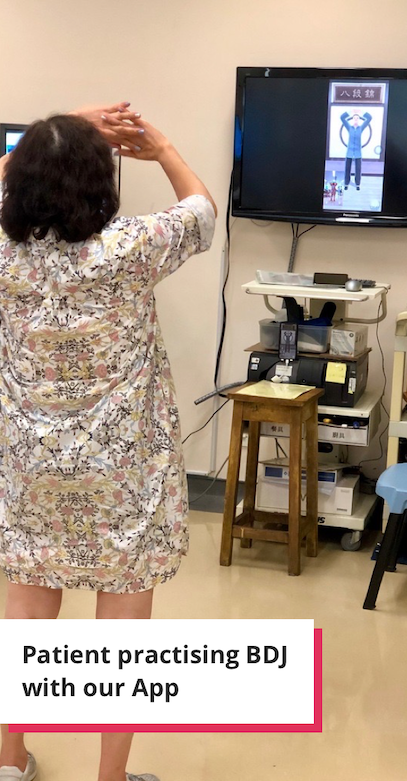
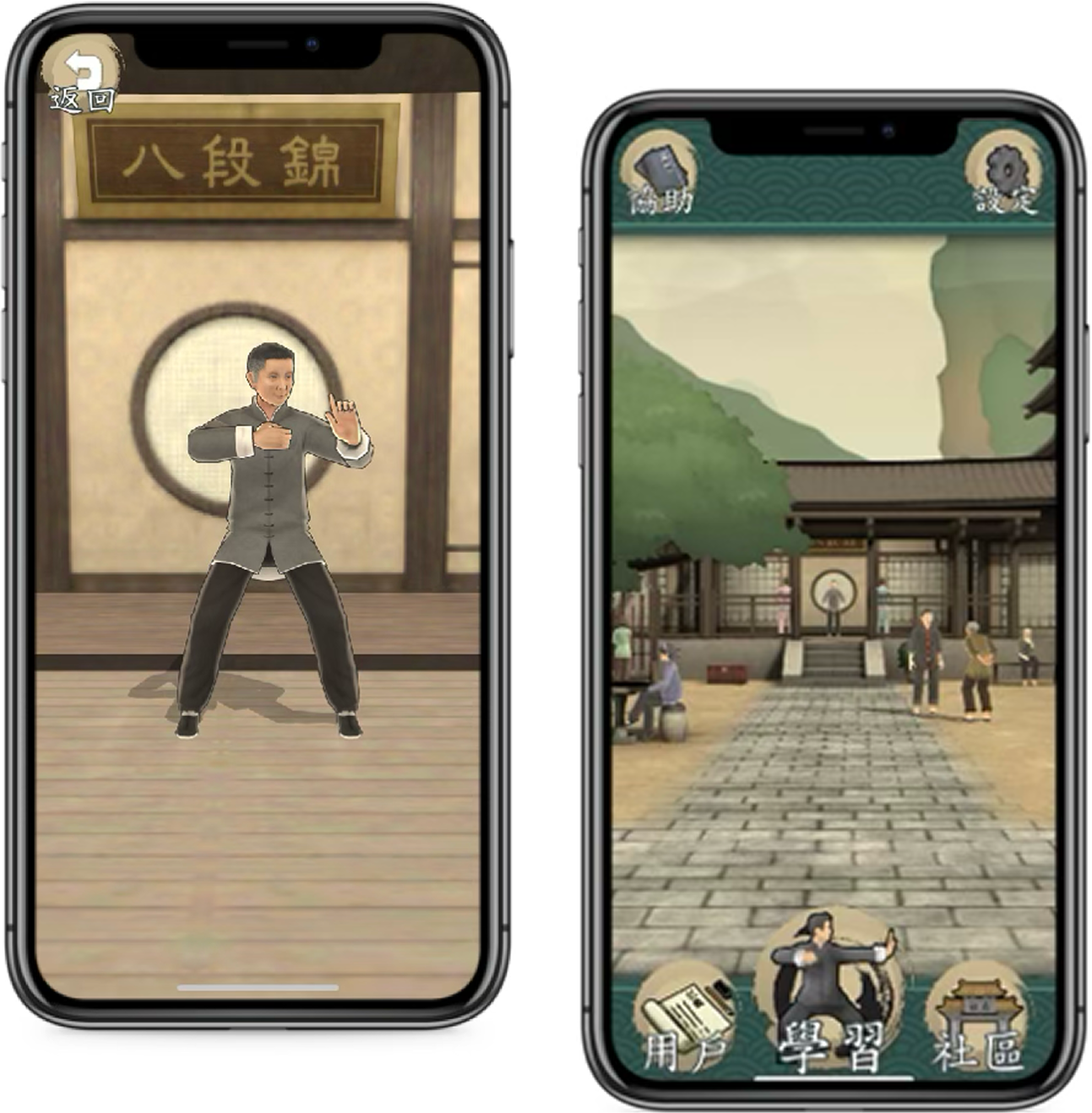
I led the research and design of Smart Baduanjin — an AI-powered fitness app that helps older adults in Hong Kong learn and practise the traditional eight-movement Chinese Qigong exercise on mobile and tablet.
OliveX — gamification and AI for healthy habits
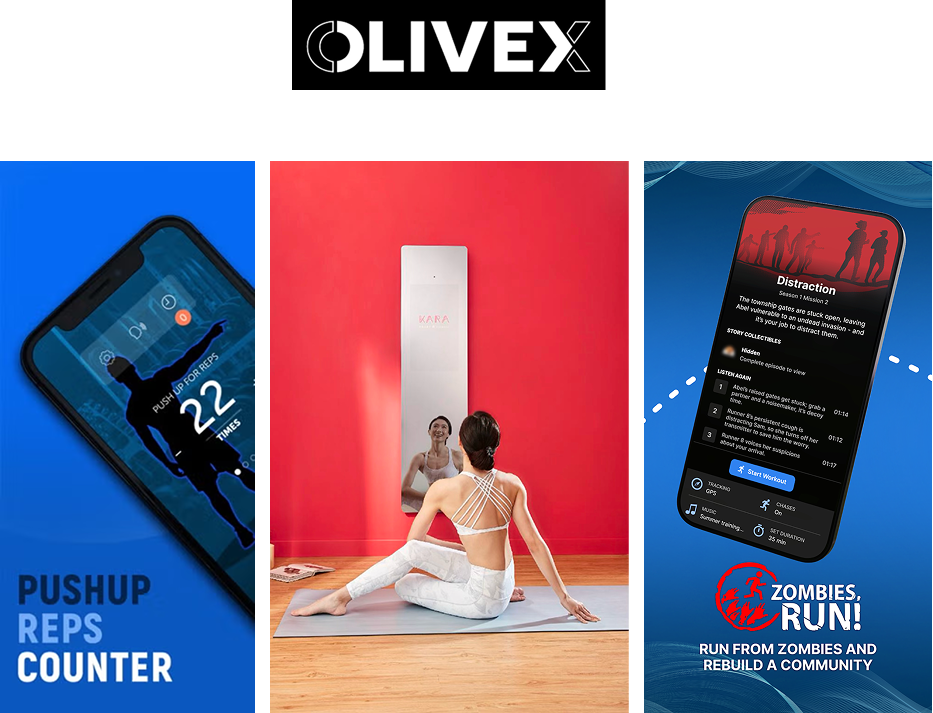
OliveX is a digital health and fitness startup using gamification and AI to help people build healthy habits. Its products include apps for running, and push-ups, and a smart mirror.
It secured government funding to develop an AI-powered app for learning and practising Baduanjin, a traditional Chinese exercise.
Teaching Baduanjin to elderly users with AI
Baduanjin (BDJ) is an eight-movement Chinese mind-body exercise. It is short and easy to learn and proven to enhance physical flexibility and coordination.
With Hong Kong facing a rapidly ageing population and high smartphone usage among the elderly, the HK government wanted to explore technologies that promote active-ageing.
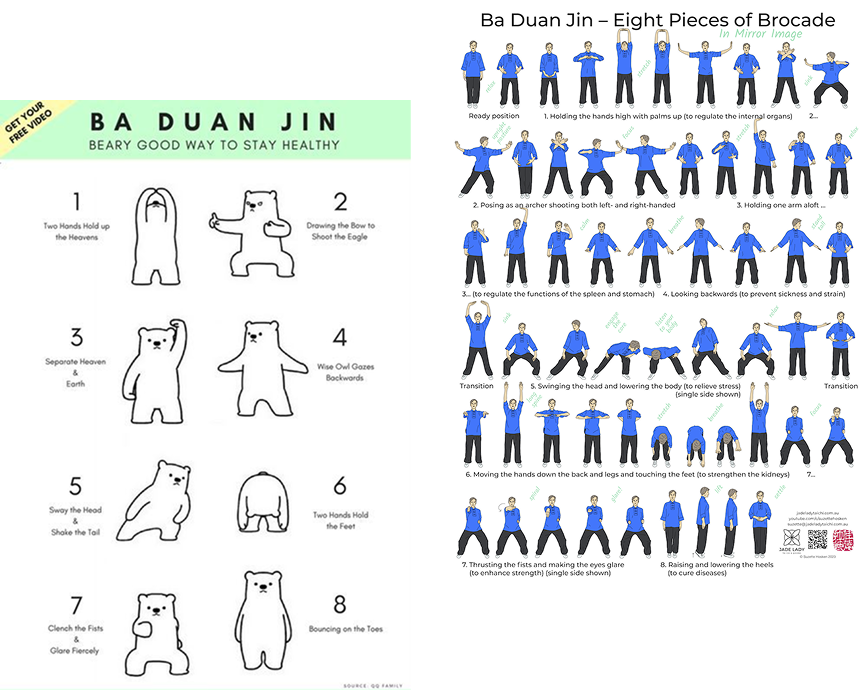
A complex, meaningful challenge
1. Unfamiliar with Tech
Many older adults had left the workforce before technology was integrated into daily work, leaving them no knowledge about technology.
2. Lack of Confidence
Limited digital exposure and knowledge lead to feelings of incompetence and hesitation.
3. Cognitive Load
Learning BDJ is challenging enough and having to learn it through an app with A.I. pose detection increases complexity and mental effort.

10 months from start to launch — 6 rounds of design and testing
I led UX research and design for Smart BDJ over 10 months, collaborating with the CEO, PM, developers, AI engineers, operations, and UI design.
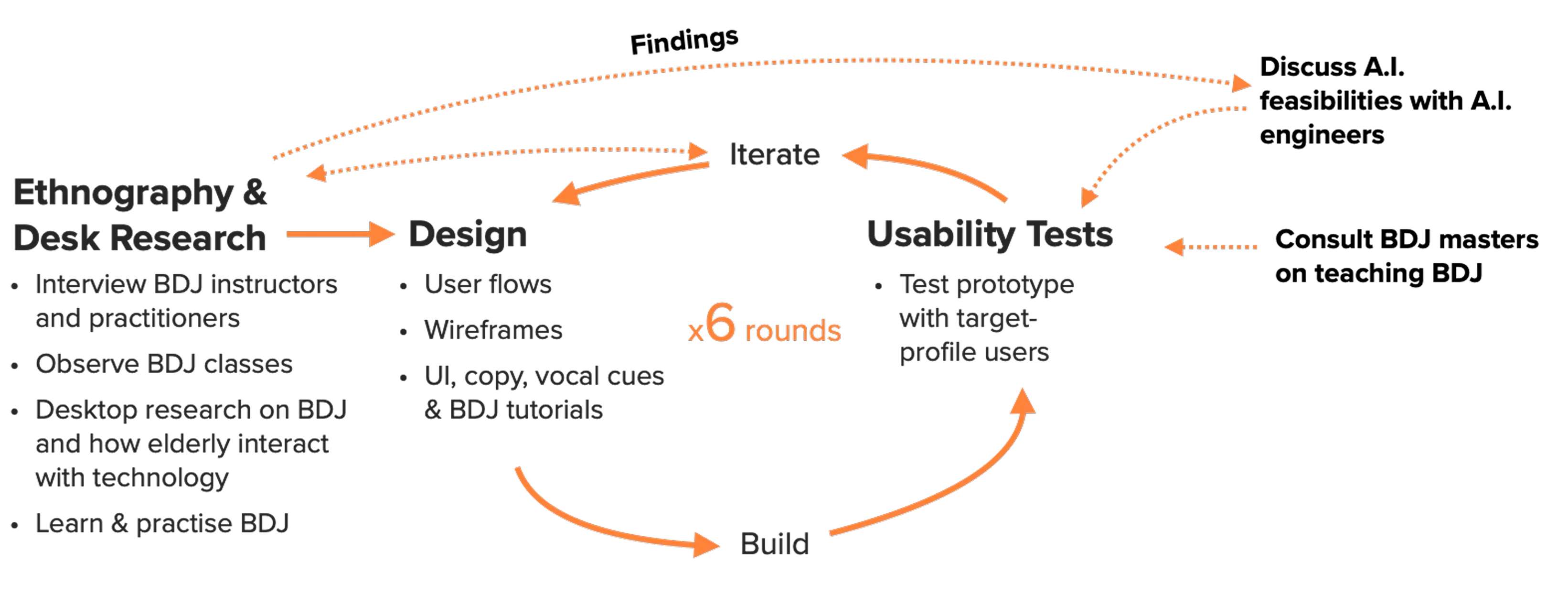
Insights that guided learning flows and app design
1. Interviews
Interviewed BDJ practitioners and non-practitioners to probe motives, struggles, and habits. These conversations informed journey maps and generated feature ideas.
"When you first started learning BDJ, what did you find challenging?"
2. Contextual Inquiry
By observing BDJ classes, I gained a deeper understanding of how older adults learn and how instructors structure lessons. These insights directly guided the design of a more engaging learning flow.
3. Desk Research
Explored different schools, benefits, and the history of BDJ, as well as how elderly users interact with smart devices. This provided essential context for shaping app content and interactions.
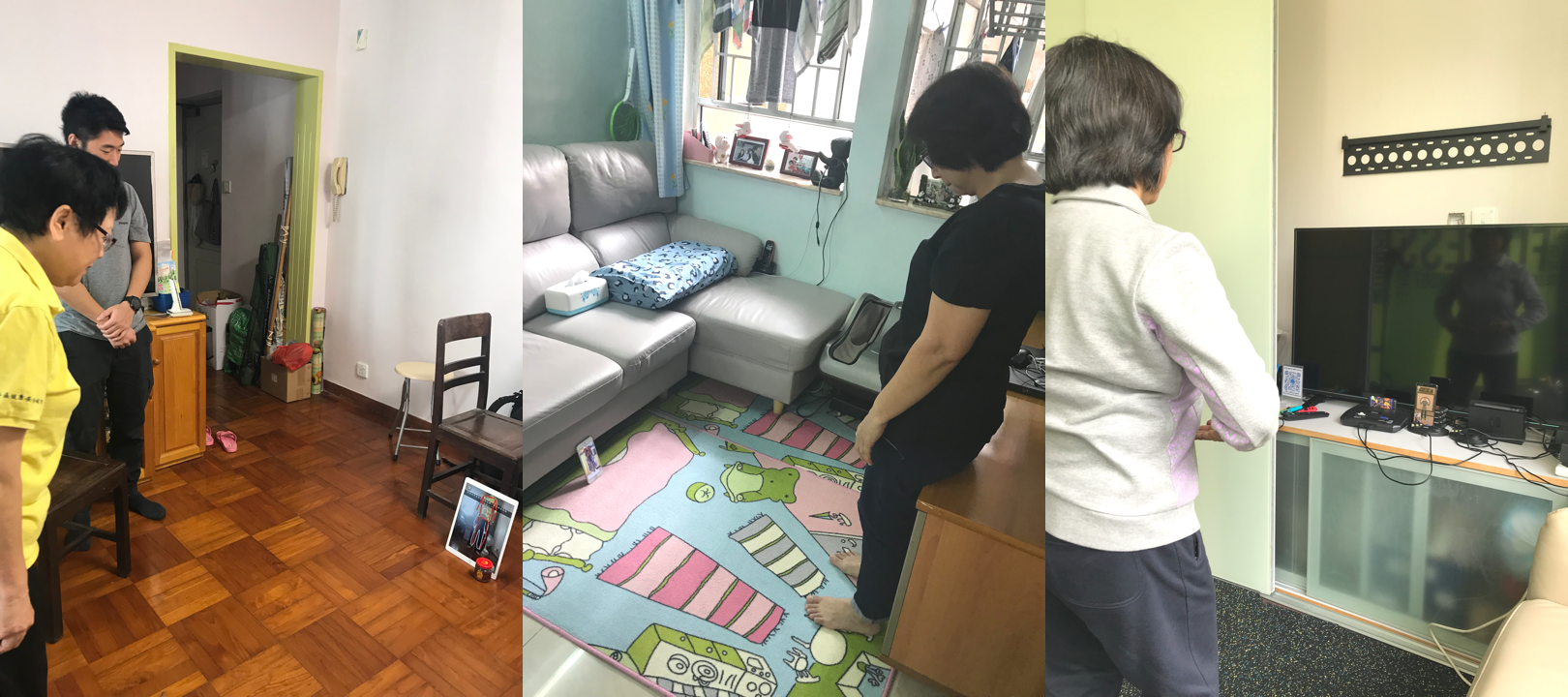
Testing prototypes in users' homes revealed what labs never would
😟 Phone Setup Was Unintuitive
AI practice required users to stand at a sufficient distance from their devices so the front-facing camera can capture their full bodies for AI pose recognition but elderly users struggled to understand.
😟 Cognitive Overload
Elderly users faced multiple new tasks at once, e.g. granting camera permission, setting up the phone setup, and learning BDJ movements from a small, distant screen.
😟 Seek Sense of Progress
Practising alone, users couldn't tell what they did right or wrong, leaving them unsure if they were improving.
😟 Doubt Towards New Apps
Many elderly were hesitant to interact with new apps. They often sought reassurance from others before proceeding.
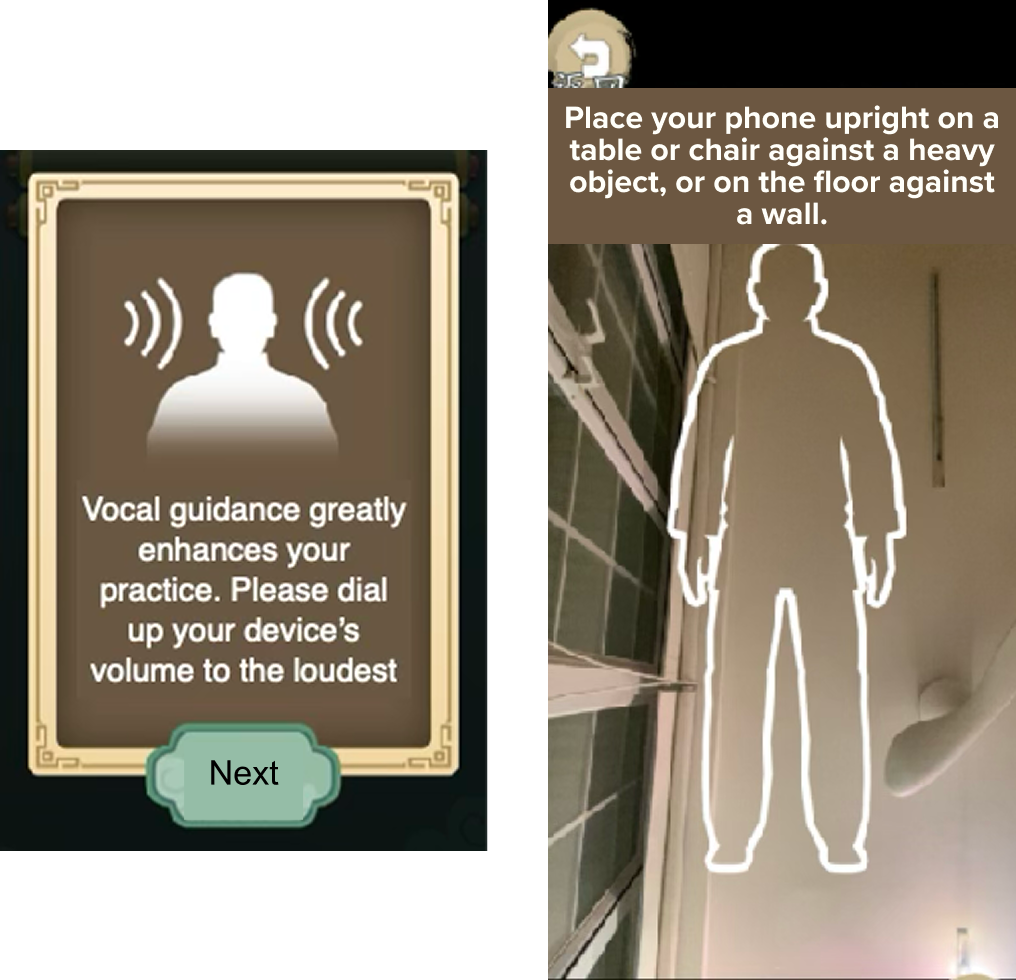
Three key design responses to research findings
1. Video Tutorials + Volume Prompts + Vocal Cues
Added video tutorials, volume prompts, and clear text with vocal cues to guide users through phone setup for the body scan — a completely unfamiliar requirement.
Explored different phone/tablet placement scenarios and added tailored vocal cues for each to increase usability.
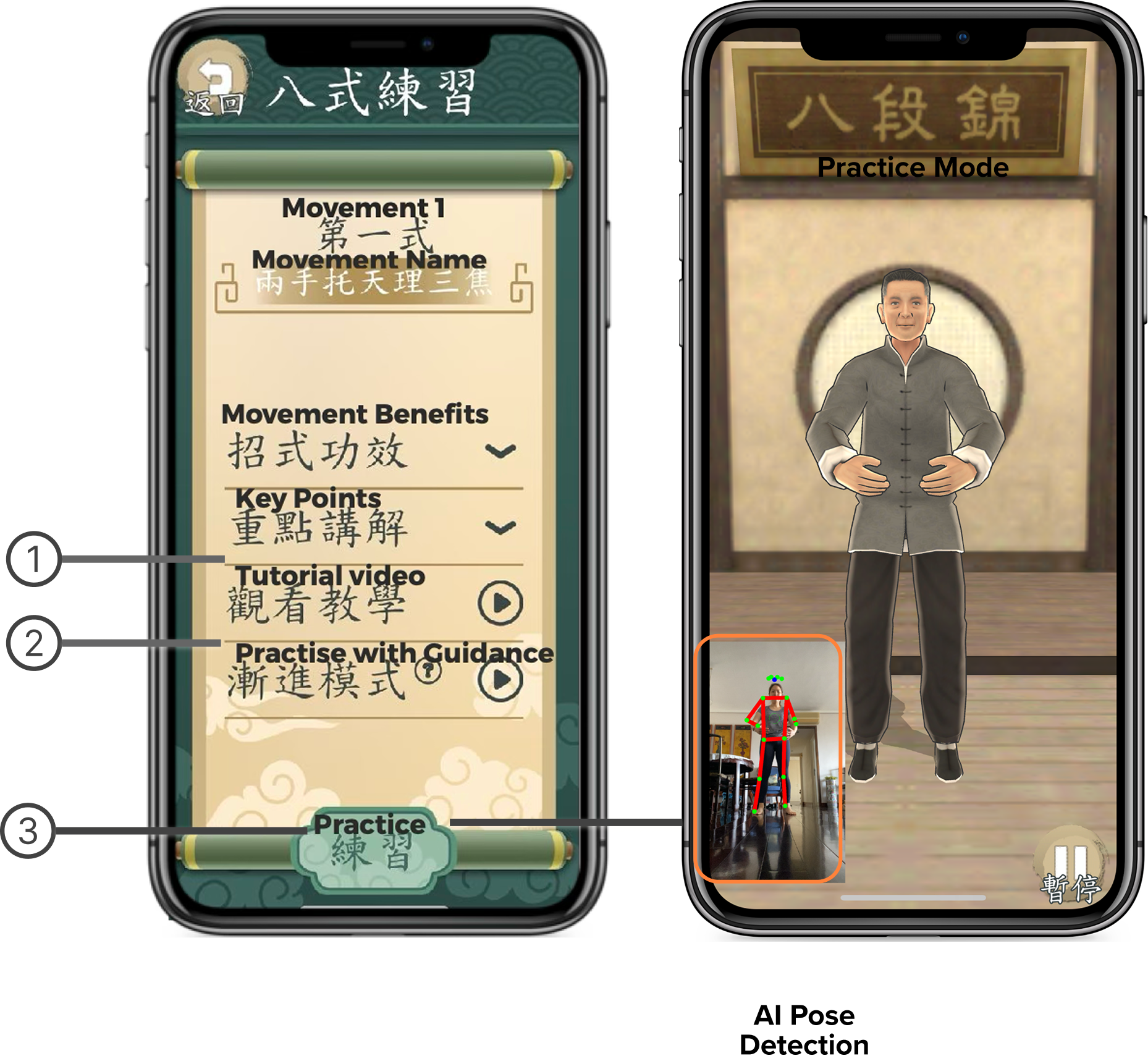
2. Chunking to Reduce Cognitive Load
Reduced cognitive load by breaking learning into smaller, sequenced steps:
- 1. Key Points feature to familiarise poses before practice
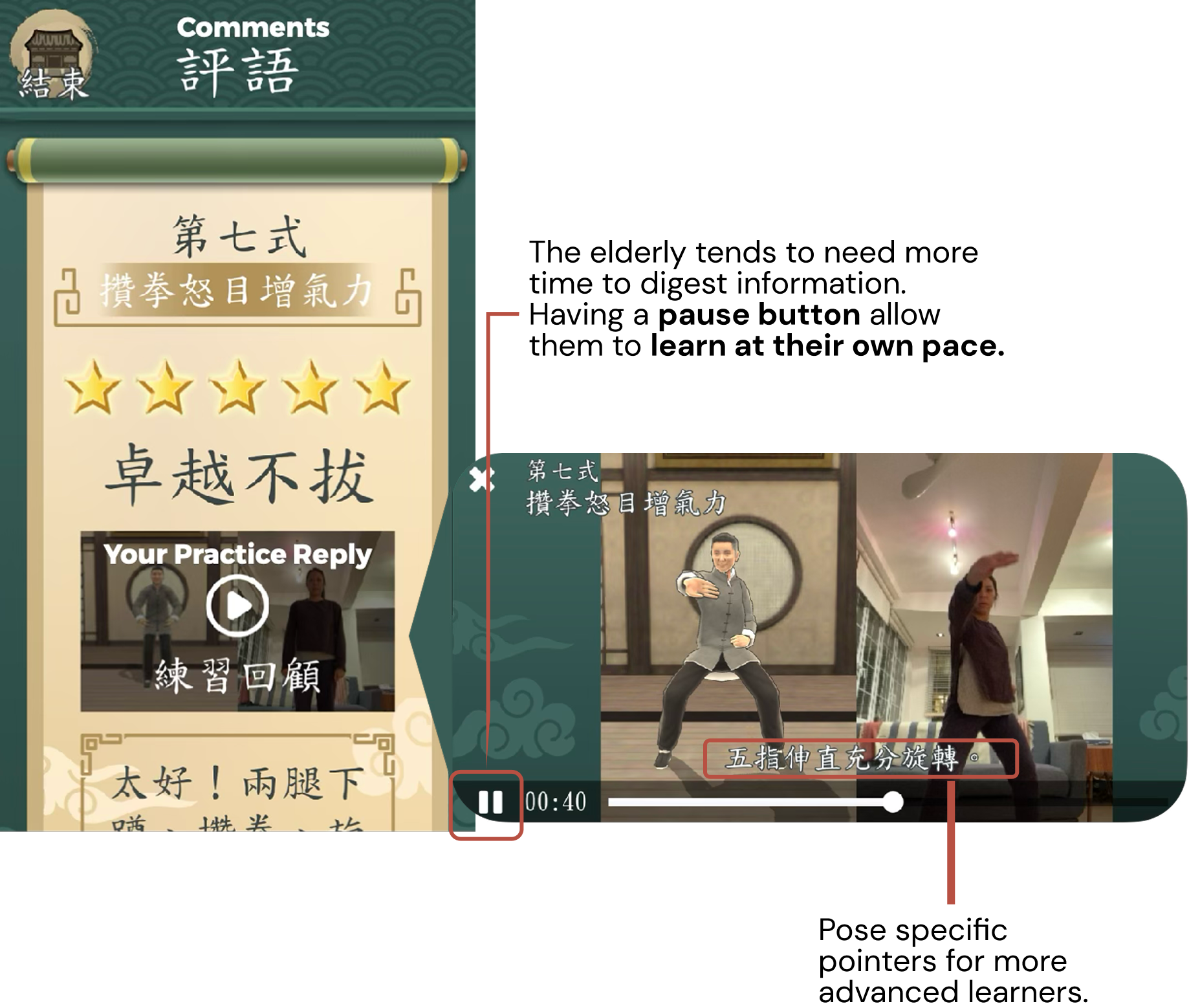
- 2. Tutorial videos with pauses and zoomed-in key poses
- 3. Clear vocal guidance mirroring how instructors teach in class
3. Practice Video Recording for Progress Tracking
"Without a coach present, I wouldn't know what I did right or wrong."
Inspired by weightlifters who videotape their form at the gym, I designed a recording feature that let users compare their movements side-by-side with our instructor. Users loved this feature and found it highly helpful for reviewing and improving their practice.
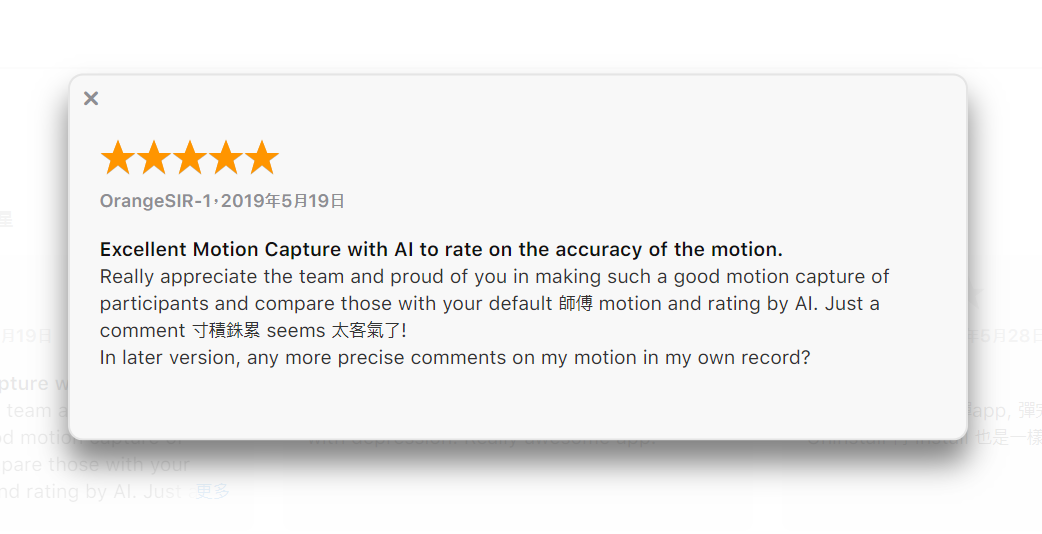
"Smart BDJ has changed the way I teach patients Baduanjin. I see countless benefits for rehabilitation, and many patients can gain from it."— Edward Chan, Occupational Therapist
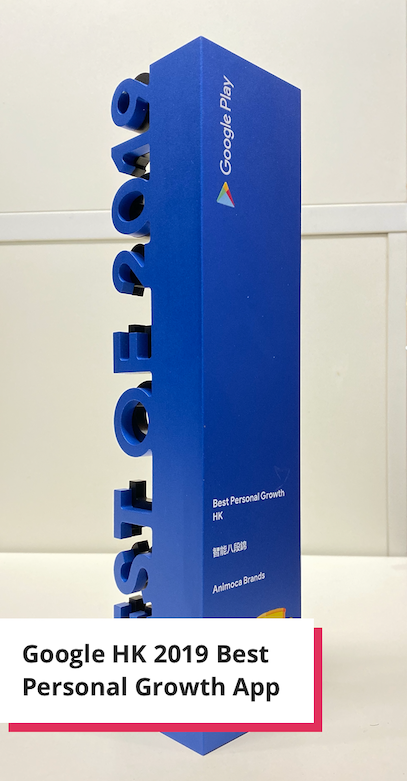
Smart Baduanjin was awarded the Google Play HK Best Personal Growth App of 2019, validating the research-driven design approach for a uniquely challenging user group.
The app has also been adopted into rehabilitation programmes in local hospitals, demonstrating real-world clinical impact beyond the original consumer audience.
- • Award-winning product launch
- • Adopted in hospital rehabilitation programmes
- • Validated AI can serve older adults meaningfully
- • Context matters: Testing in users' homes revealed barriers, e.g. space, you would never see in an office/lab.
- • AI can enhance or hinder: consider carefully your audience, the problem you tried to solve, and whether it truly improves the experience prior to implementation.
- • Enhance AI feedback: move toward real-time, personalised guidance.
- • Build stronger communities: create in-app peer support and events to boost motivation.